Banner Design & Customization
Create a cookie banner that matches your brand while maintaining compliance.
Design Overview
The Banner Design section gives you full control over how your cookie consent banner looks. Customize colors, typography, positioning, and more to create a seamless experience that matches your brand.
Cookie banner design interface
Screenshot placeholder
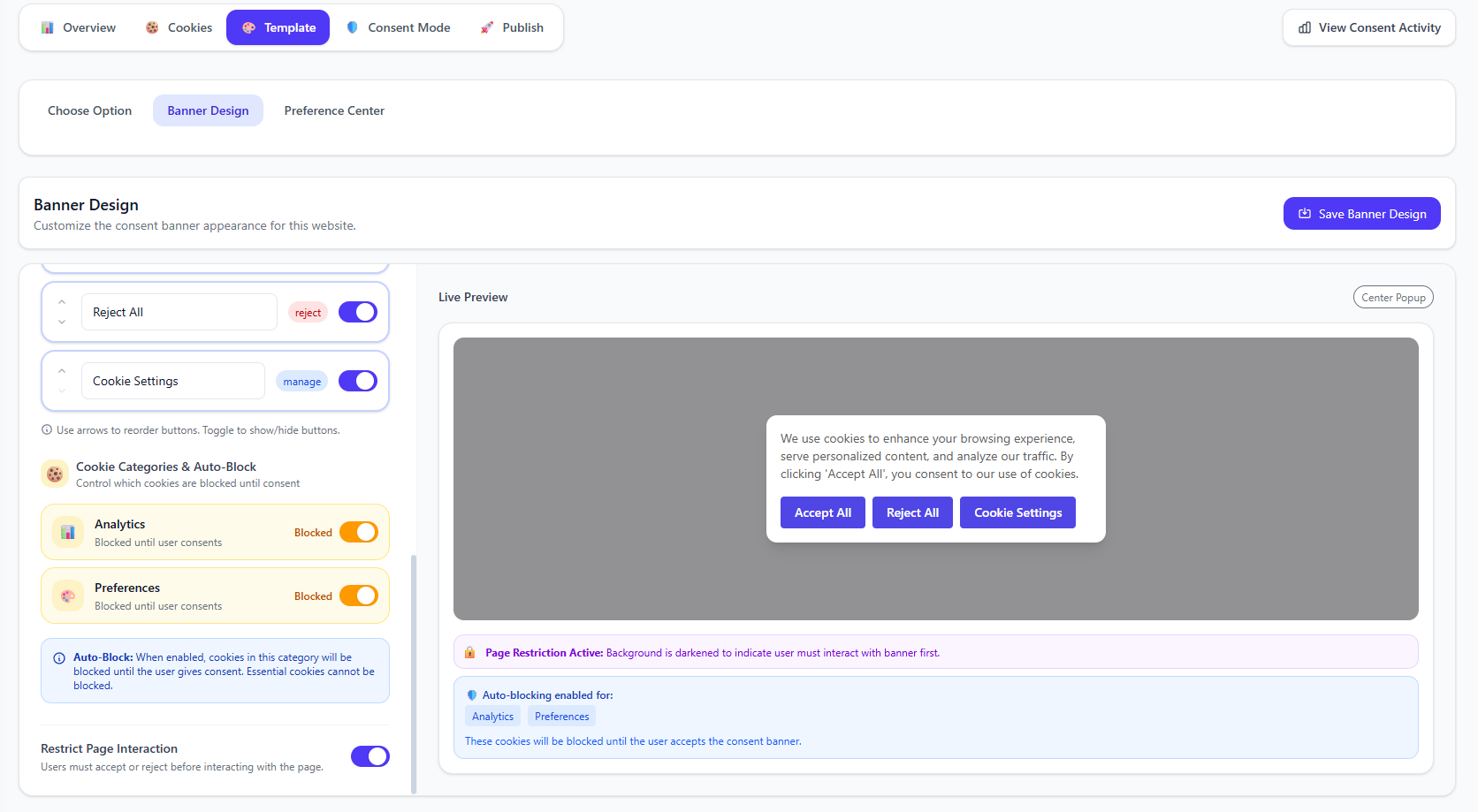
Customization Options
Color Scheme
Customize background, text, and button colors to match your brand
Typography
Choose fonts and text sizes for headings and body text
Layout & Position
Position banner at top, bottom, or as a centered modal
Button Styles
Customize button shapes, colors, and hover effects
Color Customization
Access Color Settings
In the Banner Design section, navigate to the Colors tab.
Banner color customization
Screenshot placeholder
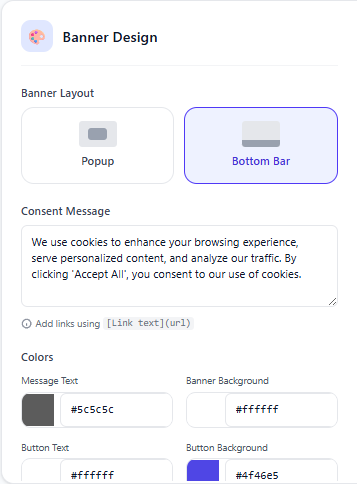
Available Color Options
Banner Colors
- • Background color
- • Border color
- • Shadow intensity
- • Overlay color (for modals)
Text Colors
- • Heading text
- • Body text
- • Link text
- • Link hover state
Primary Button
- • Background
- • Text color
- • Hover state
- • Border radius
Secondary Button
- • Background
- • Text color
- • Hover state
- • Border color
Banner Position Options
Choose where your cookie banner appears on the page. Each position has its own use case:
Bottom Bar
AvailableNon-intrusive, good for simple notices
Top Bar
Coming SoonHigh visibility, may push content down
Center Modal
AvailableMaximum visibility, requires action
Banner Behavior Settings
Restrict Page Interaction
When enabled, users cannot interact with your website until they respond to the cookie consent banner. This creates a "consent wall" that blocks all page interactions, ensuring compliance by requiring explicit consent before any tracking begins.
How it works:
- •A transparent overlay prevents clicking anywhere on the page
- •Users must click Accept, Reject, or Customize to proceed
- •Ensures no cookies are set before consent is given
- •Recommended for strict compliance requirements (GDPR, DPDPA)
Best Practice: Enable this setting if your website uses non-essential cookies that require explicit consent. It ensures compliance by preventing any tracking before user consent.
Live Preview
As you make changes, the live preview updates in real-time so you can see exactly how your banner will appear to visitors.
Design Best Practices
- Ensure sufficient contrast between text and background (WCAG AA/AAA compliance)
- Make "Accept" and "Reject" buttons equally prominent as required by GDPR
- Keep banner text concise - users should understand it in a few seconds
- Test on mobile devices to ensure banner doesn't block important content
- Use brand colors but ensure the banner is clearly visible as a consent notice