DPIA Guide
Complete guide to conducting Data Protection Impact Assessments (DPIA) for DPDPA compliance. GDPR support coming soon.
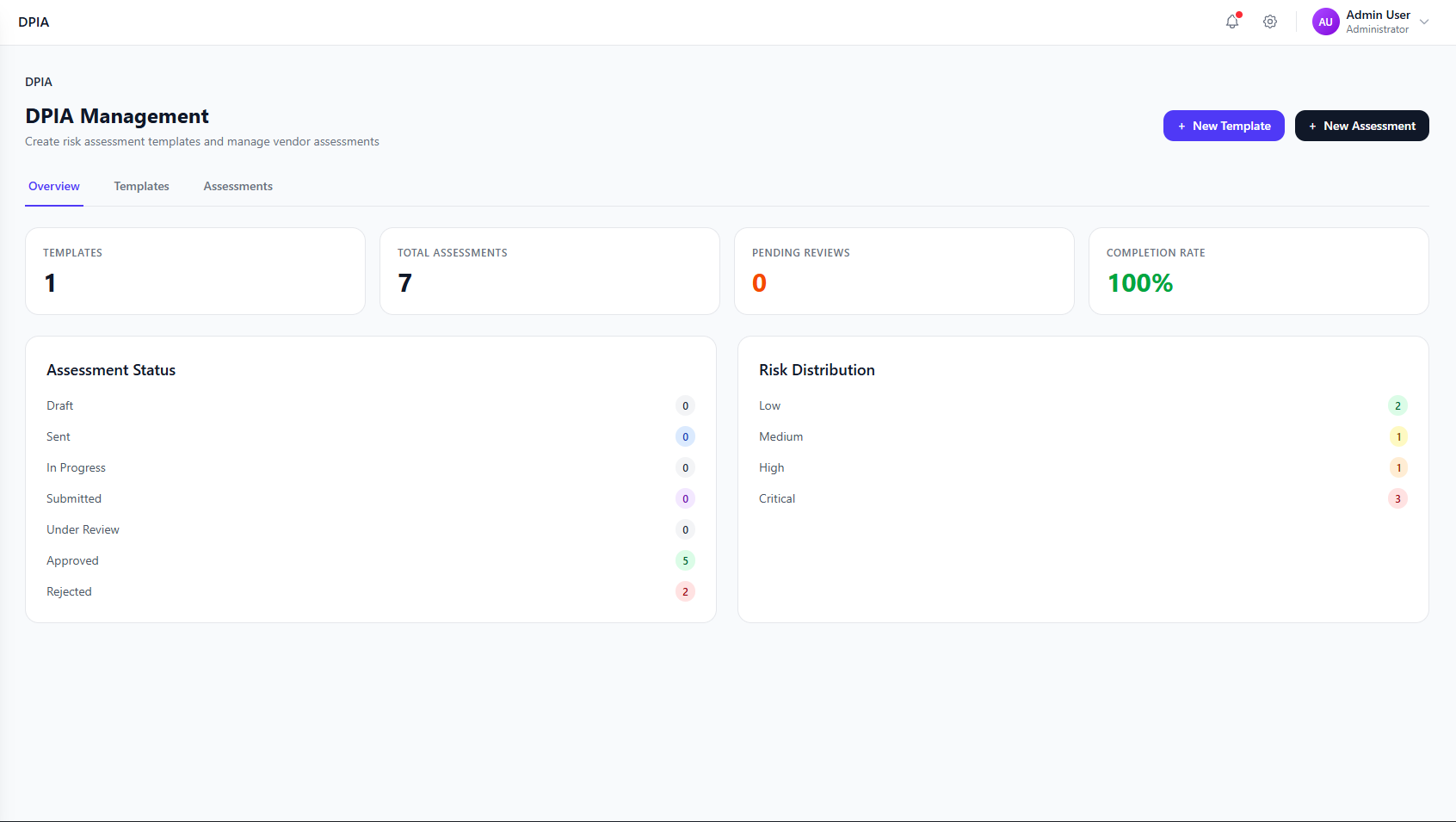
DPIA Dashboard Overview
The DPIA module provides a comprehensive dashboard to manage risk assessment templates, send assessments to vendors, and track compliance status across your organization.
DPIA Dashboard showing overview with templates, assessments, pending reviews, and risk distribution
Screenshot placeholder
Key Features
Custom Templates
Build questionnaires with sections, questions, and risk scoring
Vendor Assessments
Send assessments to third parties via email with secure links
Risk Scoring
Automatic risk calculation with configurable thresholds
Approval Workflow
Review, approve, or reject submitted assessments
Rule Engine
Automate actions based on assessment responses
Compliance Tracking
Monitor assessment status and risk distribution
Guide Sections
Click on any section below to learn more about that feature.
1. What is DPIA?
Understand Data Protection Impact Assessments and their importance for privacy compliance.
2. When Required
Learn when DPIAs are legally required under DPDPA. GDPR support coming soon.
3. Template Builder
Create custom DPIA questionnaire templates with sections and questions.
4. Question Types
Explore different question types and how to structure your assessments.
5. Risk Scoring
Configure risk thresholds and automatic scoring for assessment responses.
6. Creating Assessments
Send assessments to vendors and third parties for completion.
7. Vendor Management
Manage vendor details, track assessments, and monitor compliance.
8. Review & Approval
Review submitted assessments and manage approval workflows.
9. Rule Engine
Automate risk identification and workflows with conditional rules.
10. Best Practices
Tips and recommendations for effective DPIA management.