Risk Scoring
Configure risk scoring and thresholds for automated risk assessment.
Understanding Risk Scoring
Risk scoring automatically calculates the overall risk level of an assessment based on the vendor's responses. Each answer can contribute points to the total risk score.
Assessment results showing risk score, risk level, and automation results
Screenshot placeholder
Risk Threshold Configuration
Configure the score ranges for each risk level when creating your template:
Minimal privacy concerns, standard monitoring
Some concerns requiring attention and mitigation
Significant risks requiring action before approval
Severe risks - may require rejection or major changes
Tip: You can adjust the threshold ranges using the sliders in the template builder. The maximum possible score is calculated automatically based on your questions.
Assigning Risk Scores to Questions
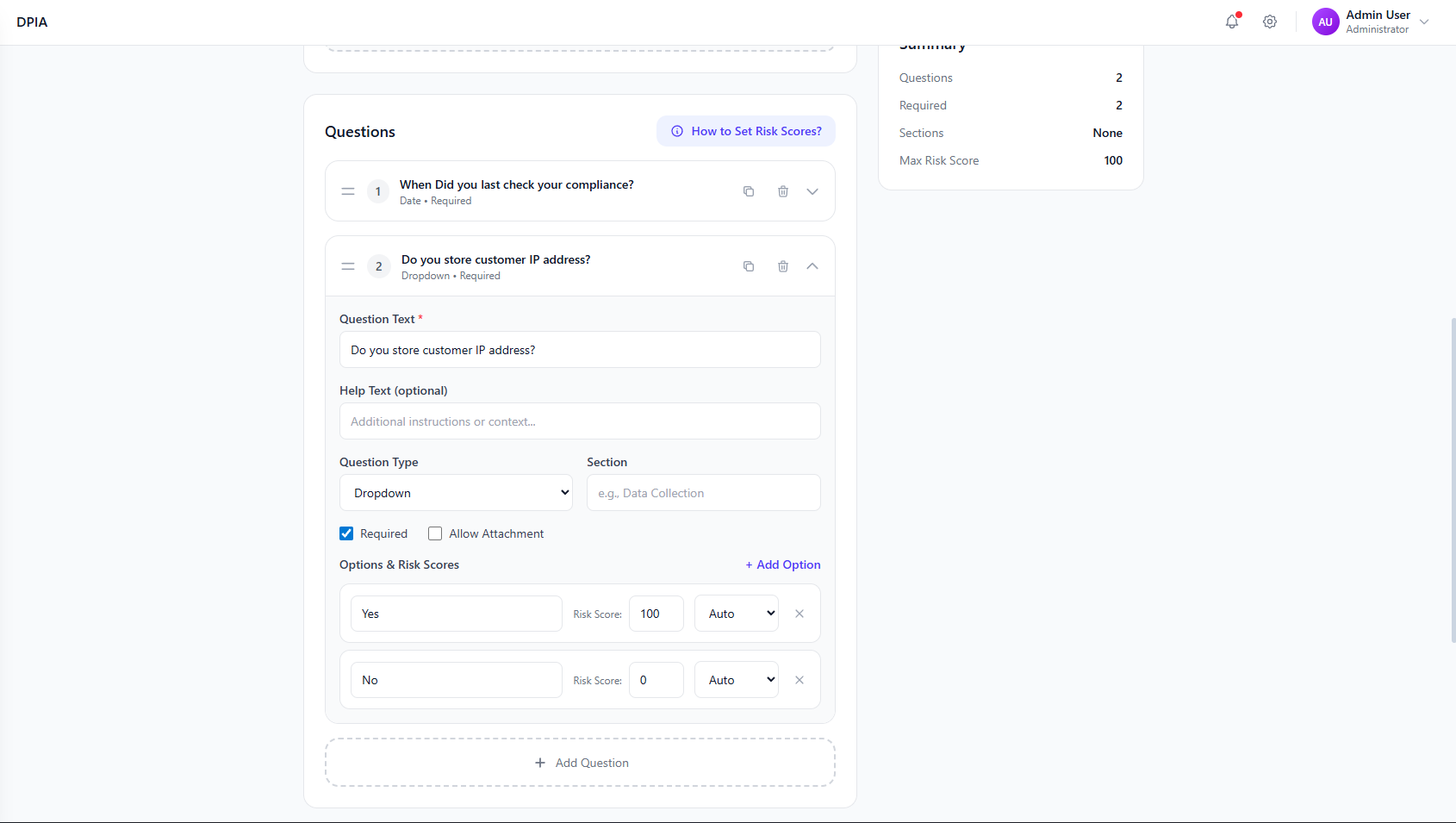
When adding questions to your template, assign risk scores to each possible answer:
Example: Yes/No Question
"Is personal data encrypted at rest?"
Risk Score: 0
Risk Score: 50
Example: Multiple Choice Question
"How often are security audits conducted?"
Risk Distribution Dashboard
The DPIA dashboard shows the risk distribution across all your assessments:
Risk Distribution
Risk Scoring Best Practices
Questions about encryption, data breaches, and compliance should have higher scores
Apply similar scoring logic across templates for comparable results
Multiple medium-risk answers can add up to a high-risk total
Risk scores guide decisions but don't replace human review
Record why certain answers receive specific scores